

Mastering WordPress SEO: Strategies for Optimising Your Website
WordPress SEO: Optimising Your Website for Search Engines
WordPress is a popular platform for building websites due to its user-friendly interface and flexibility. However, to ensure your WordPress website ranks well on search engines like Google, it’s essential to implement effective SEO strategies.
Choose an SEO-Friendly Theme
Start by selecting a responsive and fast-loading theme that is designed with SEO best practices in mind. A well-coded theme can improve your site’s performance and make it easier for search engines to crawl and index your content.
Install an SEO Plugin
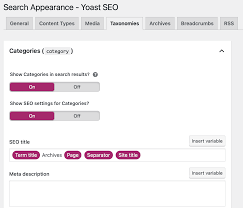
WordPress offers a variety of SEO plugins such as Yoast SEO or All in One SEO Pack that can help you optimise your website for search engines. These plugins allow you to customise meta titles, descriptions, and keywords for each page, as well as provide recommendations for improving on-page SEO.
Create High-Quality Content
Content is king when it comes to SEO. Regularly publish high-quality, relevant content that provides value to your audience. Use keywords strategically throughout your content while ensuring it remains natural and engaging.
Optimise Images and Media
Optimise images by using descriptive filenames and alt text that includes relevant keywords. Compress images to improve page load times, which is a crucial factor for both user experience and search engine rankings.
Utilise Permalinks
Customise your permalink structure to include keywords related to the content of each page or post. Avoid using generic URLs that don’t provide any context about the page’s topic.
Implement Internal Linking
Create a logical internal linking structure by linking related pages within your website. Internal links help search engines understand the hierarchy and relevance of your content while improving user navigation.
Monitor Performance with Analytics
Use tools like Google Analytics to track your website’s performance, including traffic sources, user behaviour, and keyword rankings. Analyse this data regularly to identify areas for improvement and adjust your SEO strategy accordingly.
In conclusion, optimising your WordPress website for search engines requires a combination of technical expertise, quality content creation, and ongoing monitoring of performance metrics. By following these tips and staying informed about the latest SEO trends, you can enhance your site’s visibility and attract more organic traffic.
Top 20 Frequently Asked Questions About WordPress SEO: A Comprehensive Guide
- What does WordPress SEO mean?
- What is WordPress SEO services?
- Is WordPress SEO worth it?
- What is mean by SEO in WordPress?
- Can you do SEO with WordPress?
- How can I do WordPress SEO for free?
- Is WordPress SEO free?
- Does WordPress have free SEO?
- How do I SEO my website in WordPress?
- How do I practice SEO on WordPress?
- Is there a free SEO for WordPress?
- How do I run SEO on my WordPress site?
- Is WordPress SEO plugin free?
- How do I add SEO to WordPress?
- How do I add SEO tools to WordPress?
- What is WP SEO?
- Is SEO being phased out?
- How do I implement SEO in WordPress?
- What is WordPress on-page SEO?
- How do I do SEO on a WordPress website?
What does WordPress SEO mean?
WordPress SEO refers to the practice of optimising a WordPress website to improve its visibility and ranking on search engine results pages. In essence, it involves implementing various strategies and techniques to enhance the website’s search engine friendliness, making it easier for search engines like Google to crawl, index, and understand the content. By focusing on elements such as keyword optimisation, meta tags, site speed, mobile responsiveness, and high-quality content creation, WordPress SEO aims to attract more organic traffic and ultimately increase the website’s online presence and visibility.
What is WordPress SEO services?
WordPress SEO services refer to the specialised strategies and techniques implemented by professionals to enhance the search engine visibility and ranking of WordPress websites. These services focus on optimising various aspects of a WordPress site, such as content, meta tags, images, site speed, and internal linking structure, to improve its chances of appearing higher in search engine results pages. By utilising WordPress SEO services, website owners can attract more organic traffic, increase their online presence, and ultimately drive conversions. Expertise in WordPress SEO allows professionals to tailor their approach to meet the unique needs of each website and maximise its potential for success in the competitive online landscape.
Is WordPress SEO worth it?
When considering whether WordPress SEO is worth investing in, it’s important to understand the significant impact it can have on your website’s visibility and organic traffic. Implementing effective SEO strategies on your WordPress site can improve its search engine rankings, making it easier for potential visitors to discover your content. By optimising your site for relevant keywords, creating high-quality content, and following best practices, you can attract a targeted audience and ultimately increase conversions. In today’s competitive online landscape, investing in WordPress SEO is a valuable long-term strategy that can yield tangible results and help your website stand out among the crowd.
What is mean by SEO in WordPress?
SEO in WordPress refers to the practice of optimising a WordPress website to improve its visibility and rankings on search engine results pages. SEO, which stands for Search Engine Optimisation, involves various strategies and techniques aimed at enhancing a site’s relevance and authority in the eyes of search engines like Google. In the context of WordPress, SEO encompasses tasks such as keyword research, content optimisation, meta tag customisation, image optimisation, and link building. By implementing effective SEO practices in WordPress, website owners can attract more organic traffic, increase their online presence, and ultimately achieve better results in search engine rankings.
Can you do SEO with WordPress?
Yes, you can definitely do SEO with WordPress. In fact, WordPress is a highly SEO-friendly platform that offers a range of tools and plugins to help you optimise your website for search engines. By using plugins like Yoast SEO or All in One SEO Pack, you can easily customise meta titles, descriptions, and keywords for each page, as well as receive recommendations for improving on-page SEO. Additionally, creating high-quality content, optimising images and media, customising permalinks, implementing internal linking, and monitoring performance with analytics are all essential aspects of SEO that can be effectively managed within the WordPress environment. With the right strategies and tools in place, you can enhance your website’s visibility and attract more organic traffic through effective SEO practices on WordPress.
How can I do WordPress SEO for free?
Optimising your WordPress website for SEO doesn’t have to break the bank. There are several ways to enhance your site’s search engine visibility without spending a penny. Start by choosing an SEO-friendly theme and installing a free SEO plugin like Yoast SEO or All in One SEO Pack. Create high-quality, keyword-rich content, optimise your images with descriptive filenames and alt text, and customise your permalinks for better indexing. Utilise internal linking to improve site structure and user experience. Regularly monitor your site’s performance using free tools like Google Analytics to track progress and make necessary adjustments. By implementing these free WordPress SEO strategies diligently, you can boost your website’s organic traffic and search rankings effectively.
Is WordPress SEO free?
When it comes to WordPress SEO, one of the frequently asked questions is whether it is free. The answer is yes, WordPress SEO can be implemented for free. WordPress itself is a free platform, and there are several free SEO plugins available, such as Yoast SEO and All in One SEO Pack, that offer robust features to help optimise your website for search engines. While there are premium versions of these plugins with additional features, the basic functionalities needed to improve your site’s SEO performance can be accessed at no cost. By utilising these free tools effectively and following best practices, you can enhance your website’s visibility and drive organic traffic without incurring extra expenses.
Does WordPress have free SEO?
When it comes to SEO for WordPress websites, many users wonder if there is a free option available. WordPress itself offers basic SEO features as part of its platform, such as the ability to customise meta titles and descriptions. Additionally, there are free SEO plugins like Yoast SEO and All in One SEO Pack that can be installed to enhance your website’s search engine optimisation capabilities. While these free tools provide a good starting point for improving your site’s SEO, investing in premium plugins or professional SEO services may offer more advanced features and tailored strategies for better results in the long run.
How do I SEO my website in WordPress?
Optimising your website for search engines in WordPress involves several key steps to improve its visibility and rankings. Firstly, choose an SEO-friendly theme that is responsive and fast-loading. Next, install an SEO plugin like Yoast SEO or All in One SEO Pack to customise meta titles, descriptions, and keywords for each page. Creating high-quality content with strategic keyword placement is essential for on-page SEO. Additionally, optimise images with descriptive filenames and alt text, customise permalinks with relevant keywords, implement internal linking to enhance site structure, and monitor performance using tools like Google Analytics for continuous improvement. By following these steps diligently, you can effectively SEO your website in WordPress and boost its presence in search engine results pages.
How do I practice SEO on WordPress?
To practice SEO on WordPress, start by selecting an SEO-friendly theme that is responsive and fast-loading. Install an SEO plugin like Yoast SEO or All in One SEO Pack to customise meta titles, descriptions, and keywords for each page. Create high-quality content regularly, incorporating relevant keywords strategically. Optimise images with descriptive filenames and alt text, and compress them for faster loading times. Utilise customised permalinks that include keywords related to your content. Implement internal linking to connect related pages within your website. Monitor your website’s performance using tools like Google Analytics to track traffic sources, user behaviour, and keyword rankings. By following these steps and staying updated on SEO best practices, you can effectively optimise your WordPress website for search engines.
Is there a free SEO for WordPress?
When it comes to SEO for WordPress, many users wonder if there is a free solution available. The good news is that there are several free SEO plugins for WordPress, such as Yoast SEO and All in One SEO Pack, that offer robust features to help optimise your website for search engines. These plugins provide tools for customising meta tags, analysing content for SEO improvements, and managing sitemaps—all without requiring a financial investment. While premium versions of these plugins may offer additional features, the free versions are effective in enhancing your site’s SEO performance and visibility online.
How do I run SEO on my WordPress site?
To run SEO on your WordPress site effectively, start by choosing an SEO-friendly theme that is responsive and fast-loading. Install a reputable SEO plugin like Yoast SEO or All in One SEO Pack to optimise meta titles, descriptions, and keywords for each page. Create high-quality, keyword-rich content that adds value to your audience. Optimise images with descriptive filenames and alt text, and compress them for faster loading times. Utilise custom permalinks that include relevant keywords and implement internal linking to enhance site structure and navigation. Regularly monitor your site’s performance using tools like Google Analytics to track traffic sources, user behaviour, and keyword rankings, allowing you to make informed adjustments to your SEO strategy for optimal results.
Is WordPress SEO plugin free?
When it comes to WordPress SEO plugins, there are both free and premium options available. Many popular SEO plugins for WordPress, such as Yoast SEO and All in One SEO Pack, offer free versions that provide essential features for optimising your website for search engines. These free versions typically include functionalities like meta title and description customisation, XML sitemap generation, and content analysis tools. While the free versions offer valuable tools to improve your site’s SEO, some advanced features may be available only in the premium versions of these plugins. Users can choose between the free and paid options based on their specific needs and budget constraints.
How do I add SEO to WordPress?
Adding SEO to your WordPress website is essential for improving its visibility on search engines. To add SEO to WordPress, you can start by installing an SEO plugin like Yoast SEO or All in One SEO Pack, which will provide you with tools to optimise your site for search engines. These plugins allow you to customise meta titles, descriptions, and keywords for each page, as well as offer suggestions for improving on-page SEO. Additionally, creating high-quality and keyword-rich content, optimising images and media, customising permalinks, implementing internal linking, and monitoring performance with analytics are key steps to enhance the SEO of your WordPress site effectively. By following these practices and staying up-to-date with SEO best practices, you can boost your website’s search engine rankings and attract more organic traffic.
How do I add SEO tools to WordPress?
To add SEO tools to your WordPress website, you can start by installing a reputable SEO plugin such as Yoast SEO or All in One SEO Pack. These plugins offer a range of features to help you optimise your site for search engines, including customising meta titles, descriptions, and keywords for each page. Simply go to your WordPress dashboard, navigate to the “Plugins” section, and search for the desired SEO plugin. Once installed and activated, you can access the plugin settings to configure it according to your website’s needs. These tools provide valuable insights and recommendations to improve your website’s SEO performance and visibility online.
What is WP SEO?
WP SEO refers to the practice of optimising a WordPress website to improve its visibility and ranking on search engine results pages. It involves implementing various strategies and techniques, such as keyword research, on-page optimisation, content creation, and technical improvements, to enhance the site’s relevance and authority in the eyes of search engines like Google. WP SEO aims to attract organic traffic by making the website more accessible and appealing to both users and search engine algorithms. By focusing on WP SEO, website owners can increase their chances of reaching a wider audience and achieving their online goals more effectively.
Is SEO being phased out?
The notion that SEO is being phased out is a common concern among website owners and digital marketers. However, it is important to understand that while the landscape of search engine optimisation may evolve, SEO itself is not becoming obsolete. In fact, SEO remains a fundamental aspect of digital marketing strategies, ensuring that websites are optimised for search engines to drive organic traffic and improve visibility. As search engines continue to update their algorithms and user behaviours shift, staying informed about best practices and adapting your SEO approach accordingly is key to maintaining a strong online presence and ranking well in search results.
How do I implement SEO in WordPress?
Implementing SEO in WordPress is essential for improving your website’s visibility on search engines. To begin, choose an SEO-friendly theme and install a reputable SEO plugin like Yoast SEO or All in One SEO Pack. These plugins allow you to optimise meta titles, descriptions, and keywords for each page. Creating high-quality, keyword-rich content regularly is key to attracting organic traffic. Optimising images with descriptive filenames and alt text, customising permalinks with relevant keywords, and implementing internal linking are also crucial steps in enhancing your site’s SEO performance. Monitoring your website’s performance using tools like Google Analytics helps track progress and identify areas for further improvement. By following these steps and staying informed about best practices, you can effectively implement SEO on your WordPress site to boost its search engine rankings.
What is WordPress on-page SEO?
WordPress on-page SEO refers to the practice of optimising individual web pages on a WordPress website to improve their search engine rankings and attract organic traffic. This process involves strategically incorporating relevant keywords, creating high-quality content, customising meta tags, optimising images, and implementing internal linking structures. By focusing on on-page SEO elements within WordPress, website owners can enhance the visibility of their content in search engine results pages (SERPs) and provide a better user experience for visitors. Effective WordPress on-page SEO strategies play a crucial role in driving targeted traffic to websites and establishing a strong online presence.
How do I do SEO on a WordPress website?
Optimising a WordPress website for search engines involves several key steps to improve its visibility and ranking in search results. To do SEO on a WordPress website, start by selecting an SEO-friendly theme and installing an SEO plugin like Yoast SEO or All in One SEO Pack. Create high-quality, keyword-rich content, optimise images with descriptive alt text, customise permalinks for better indexing, implement internal linking to improve site structure, and monitor performance using tools like Google Analytics. By following these essential practices and staying updated on SEO best practices, you can effectively enhance your WordPress website’s search engine optimisation and attract more organic traffic.